What Is AiTM and How Hackers Use It in Attacks
Adversary-in-the-Middle (AiTM) phishing is a technique that allows hackers to compromise accounts — even those protected by multi-factor authentication (MFA).
To understand AiTM, it helps to first look at how phishing traditionally worked.
How Phishing Used to Work
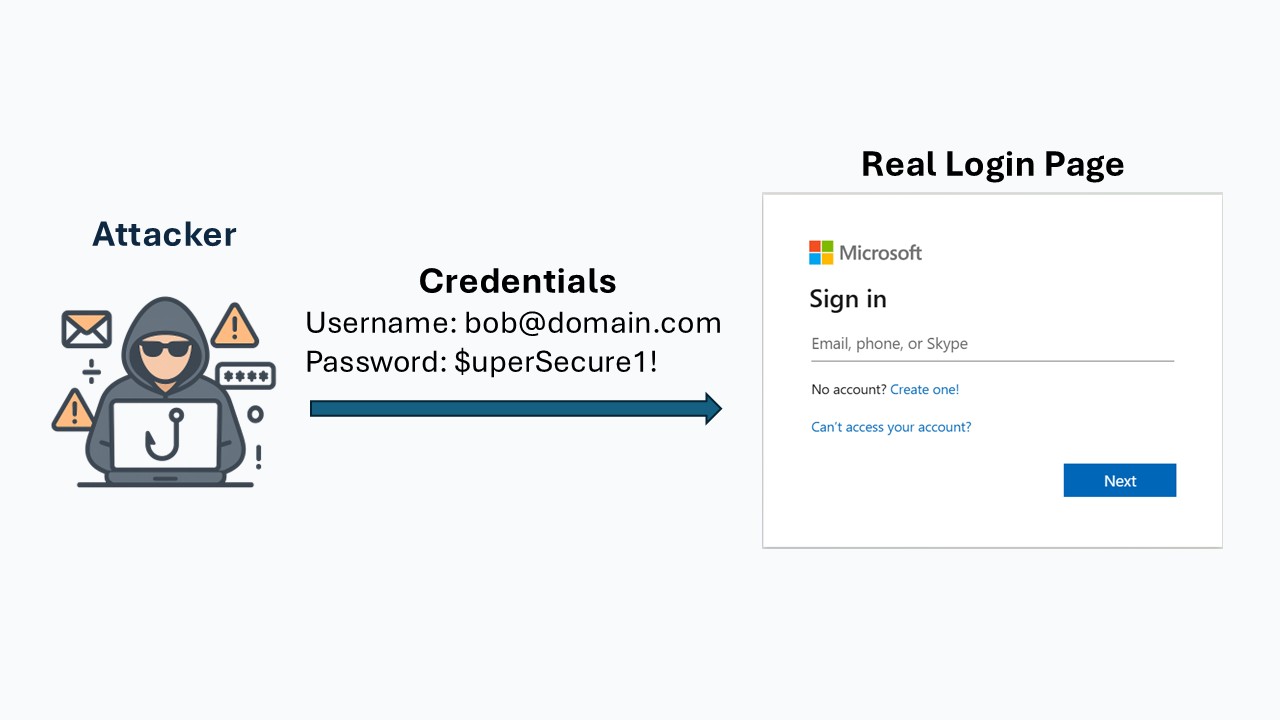
In the past, hackers relied on phishing by creating fake websites that looked like legitimate login pages, such as Microsoft 365. The goal was to trick users into entering their username and password. Once submitted, these credentials were sent directly to the hacker, who could then access the victim’s account if MFA was not enforced.
Typical Flow of a Traditional Phishing Attack
1. Phishing Email Sent
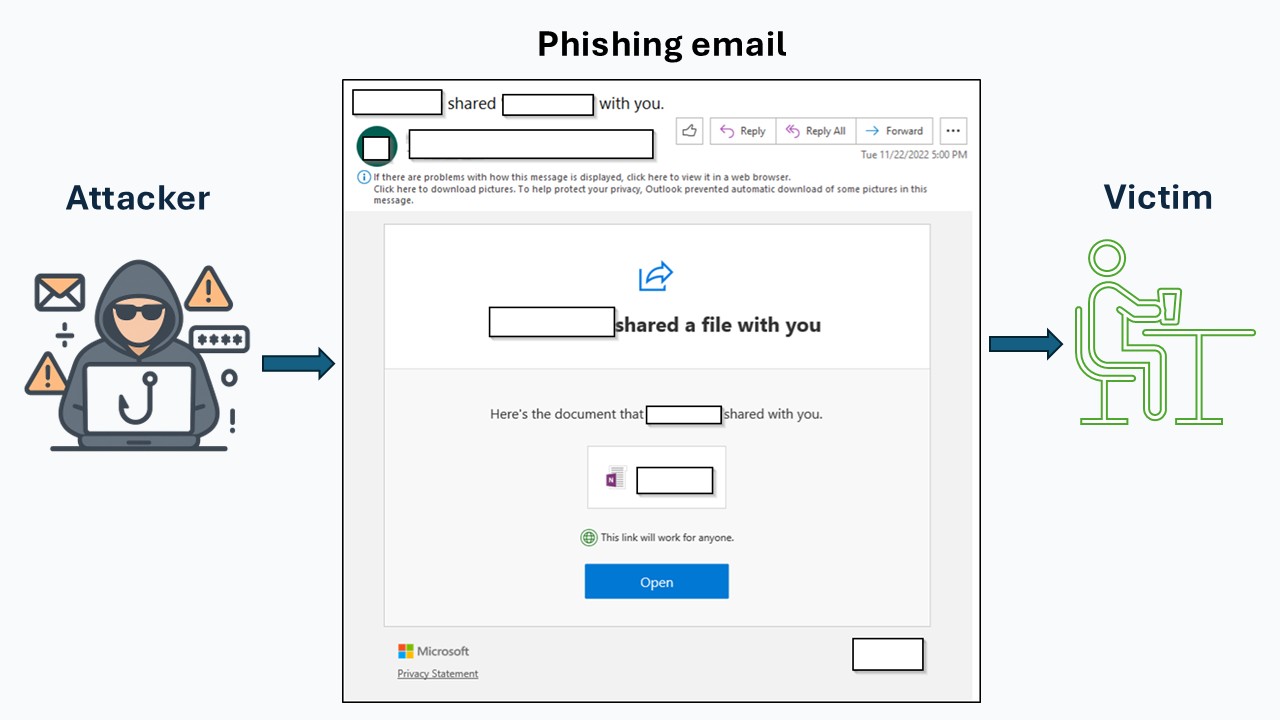
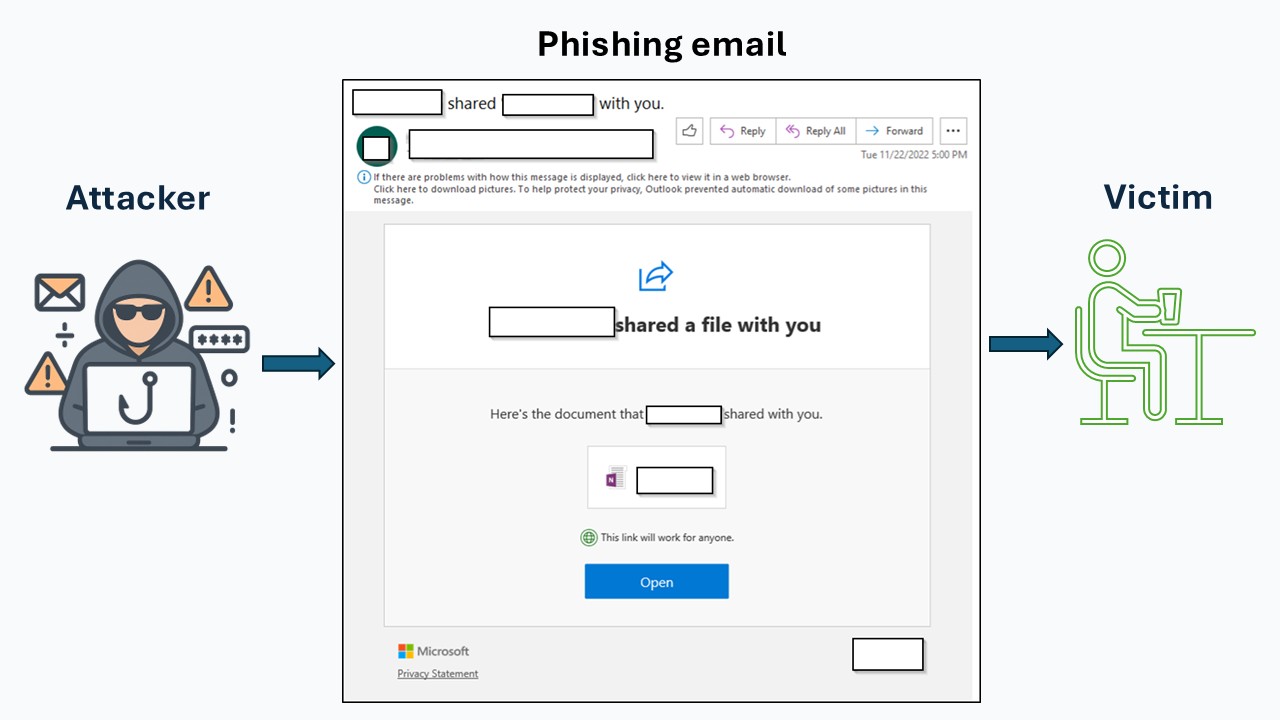
The victim receives a phishing email, often appearing to come from a trusted contact whose account was already compromised. The message typically urges the user to take urgent action (view a file, reset a password, review an invoice, etc.).
2. Victim Clicks the Link
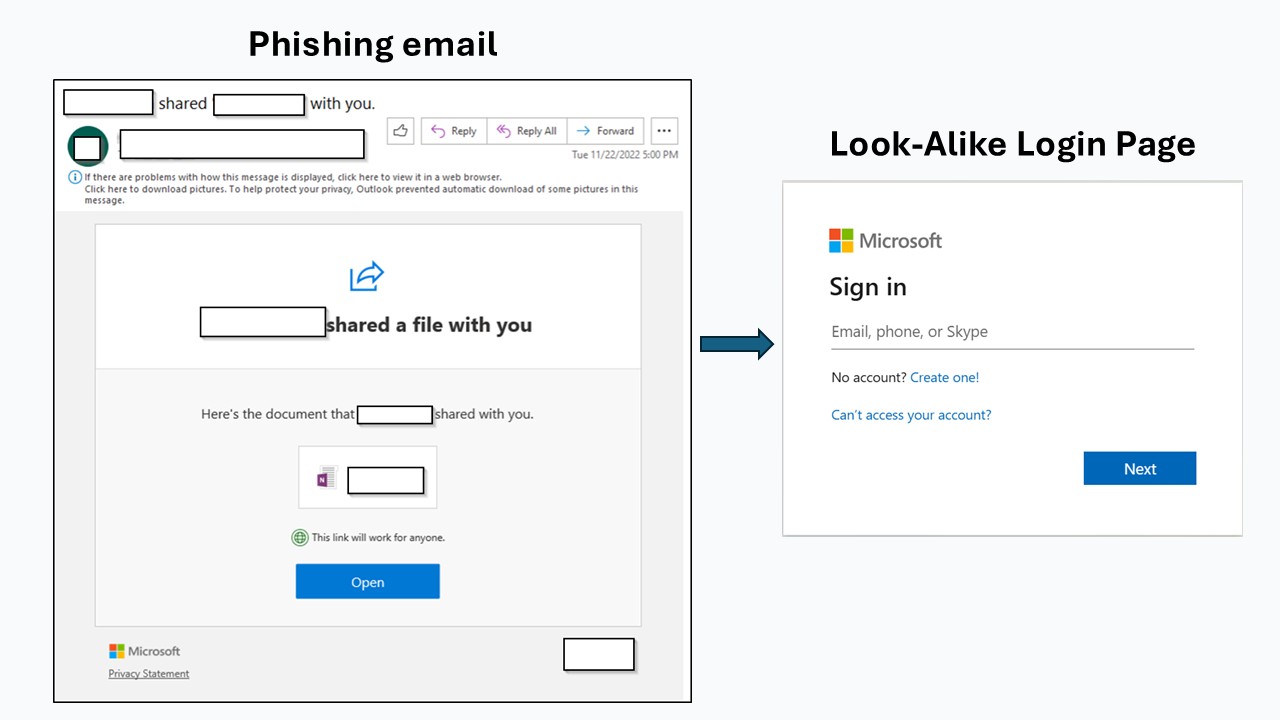
The user clicks the link in the email, which leads to a convincing look-alike login page created by the attacker.
3. Victim Enters Credentials
On the fake login page, the victim enters their username and password, thinking they are signing in to a legitimate service.
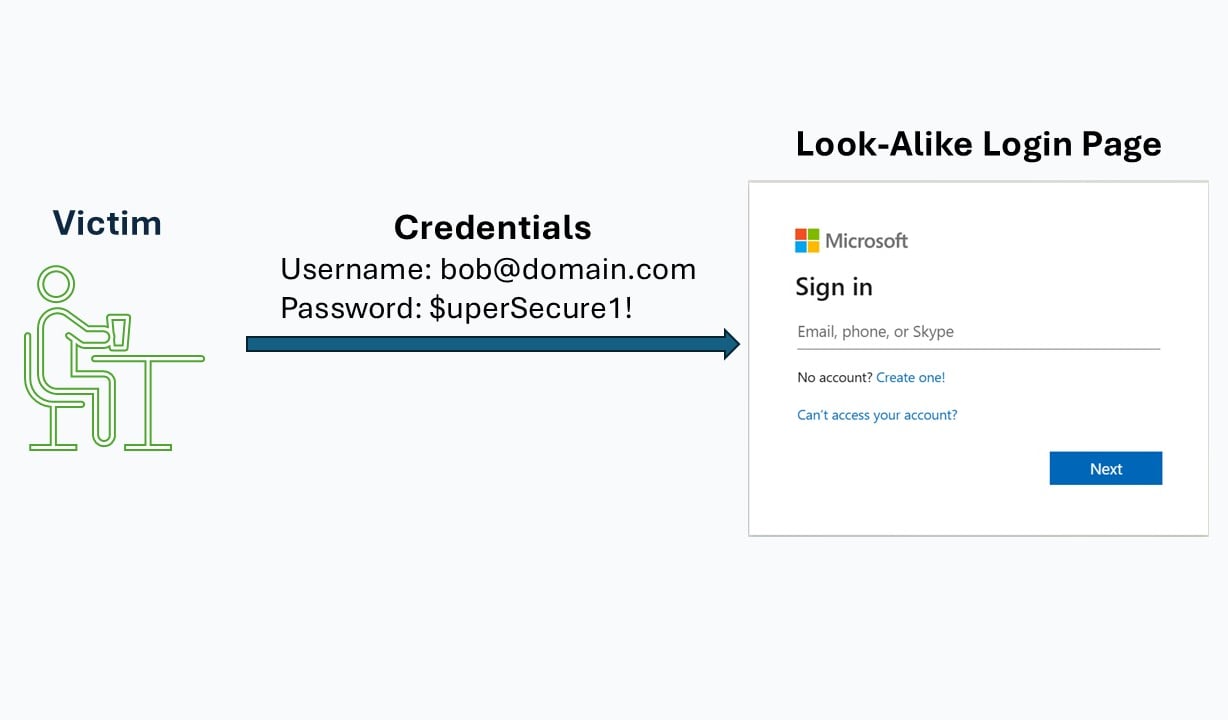
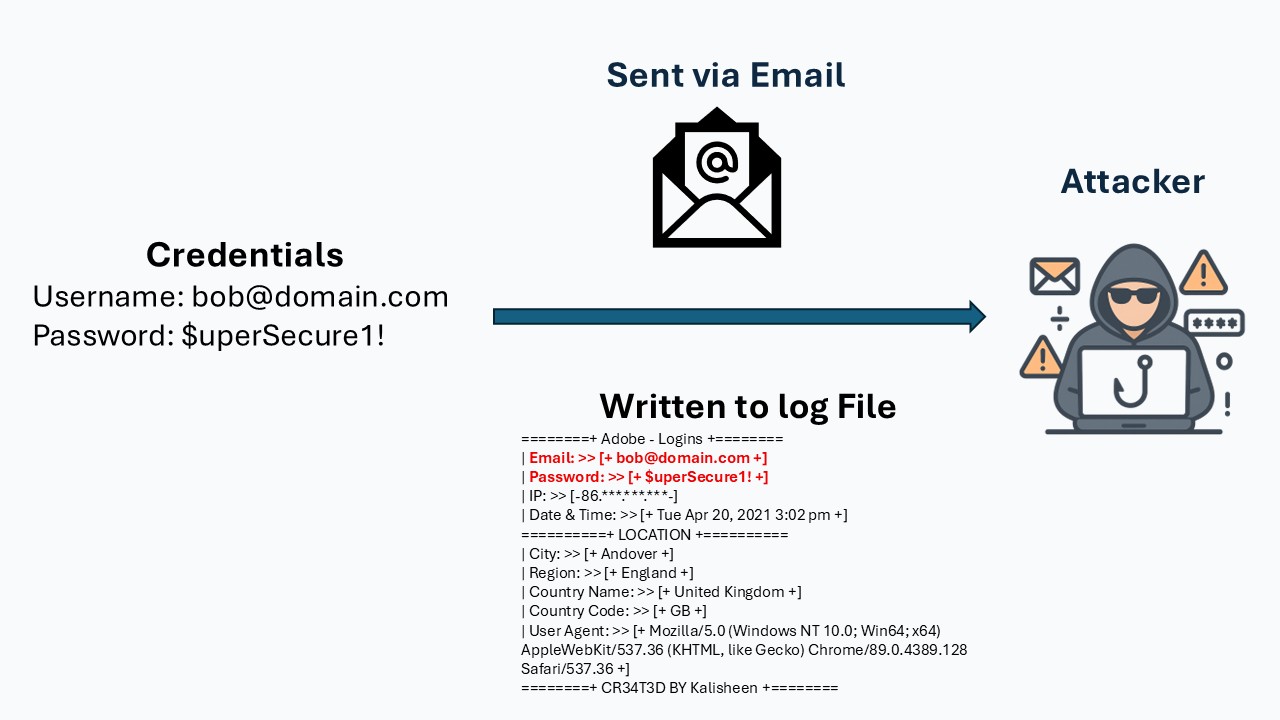
4. Credentials Are Sent to the Attacker
The phishing platform captures the credentials—either logging them on the attacker’s server or emailing them to the attacker in real time.
5. Account Takeover
The attacker uses the stolen credentials to log in to the real service.
If MFA is not enabled, the attacker can immediately access the victim’s account.
If MFA is enabled, the login attempt is blocked.
The New Method: AiTM Phishing
With MFA becoming the standard, and attackers getting stopped by MFA, they started using phishing platforms that can compromise an account, even if it is protected by MFA. Here is how it works:
1. Phishing Email Sent (Identical to legacy phishing)
The victim receives a phishing email, often appearing to come from a trusted contact whose account was already compromised. The message typically urges the user to take urgent action (view a file, reset a password, review an invoice, etc.).
2. Victim Clicks the Link
When the victim clicks the phishing link, they get connected to a system the attacker controls.
This is the Adversary-in-the-Middle (AiTM) phishing infrastructure.
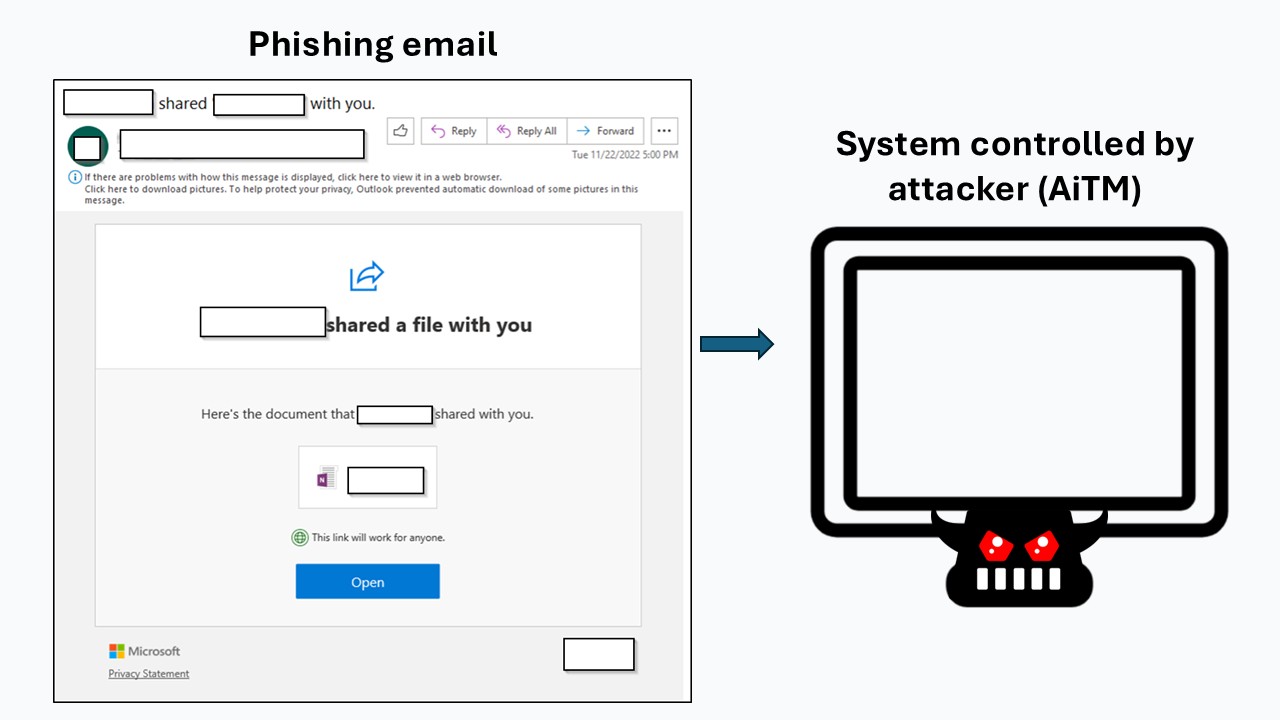

3. Attacker Initiates Connection to real website
When the victim connects to the attacker's system through the phishing email, the attacker's system starts a connection to the real website.
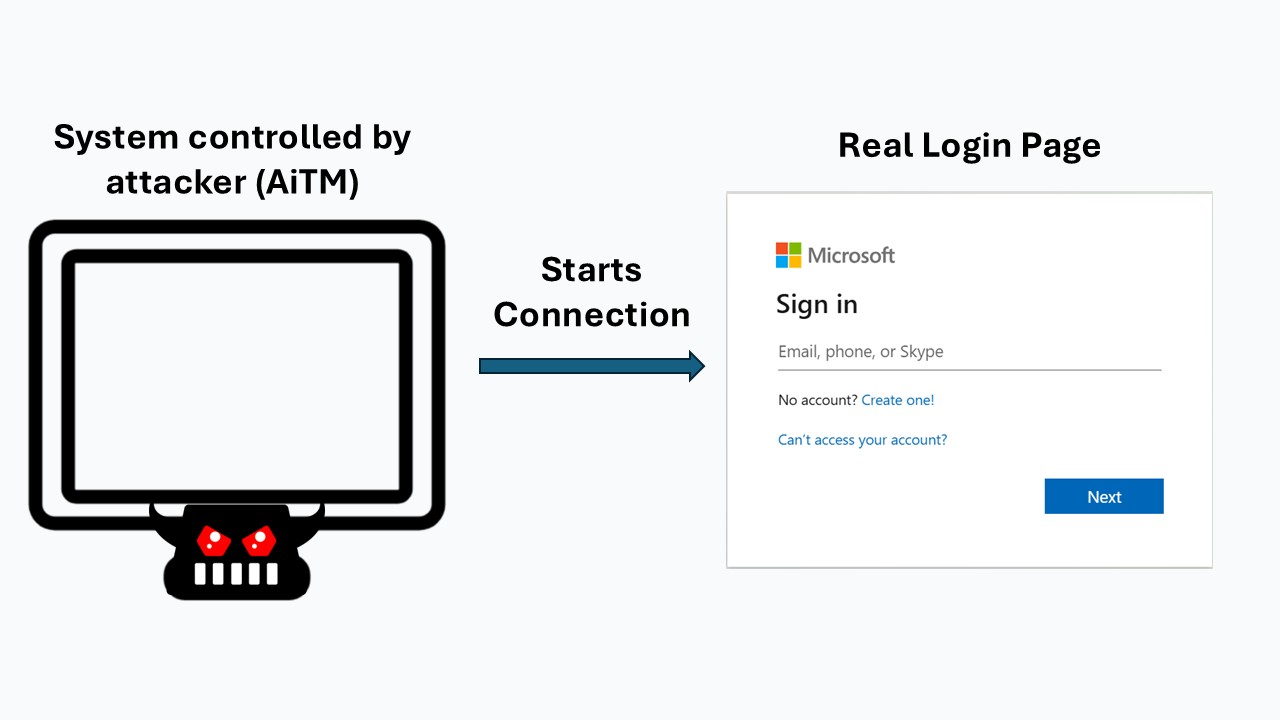
4. Attacker's System Proxies Connection
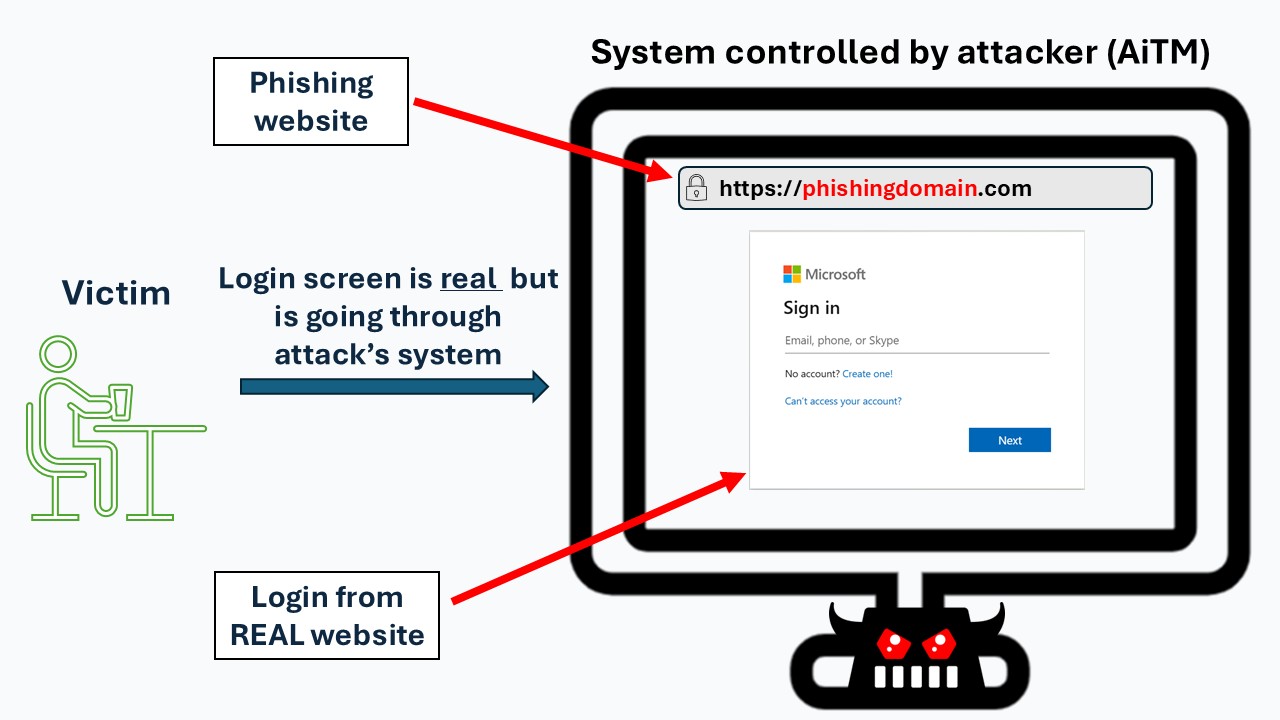
The attacker’s system, part of the Adversary-in-the-Middle (AiTM) phishing infrastructure, intercepts the login data and forwards it to the real website.
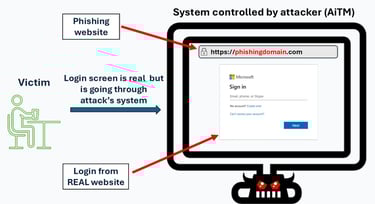
To the victim, the login page appears legitimate, but all communication between the user and the real site passes through the attacker’s system. This allows the attacker to capture everything exchanged.
In the example below, the attacker’s server is at the phishingdomain website. The user sees the familiar login interface from the real website, but it is actually being relayed through the attacker’s AiTM infrastructure.
5. Victim Enters Credentials (and Completes MFA)
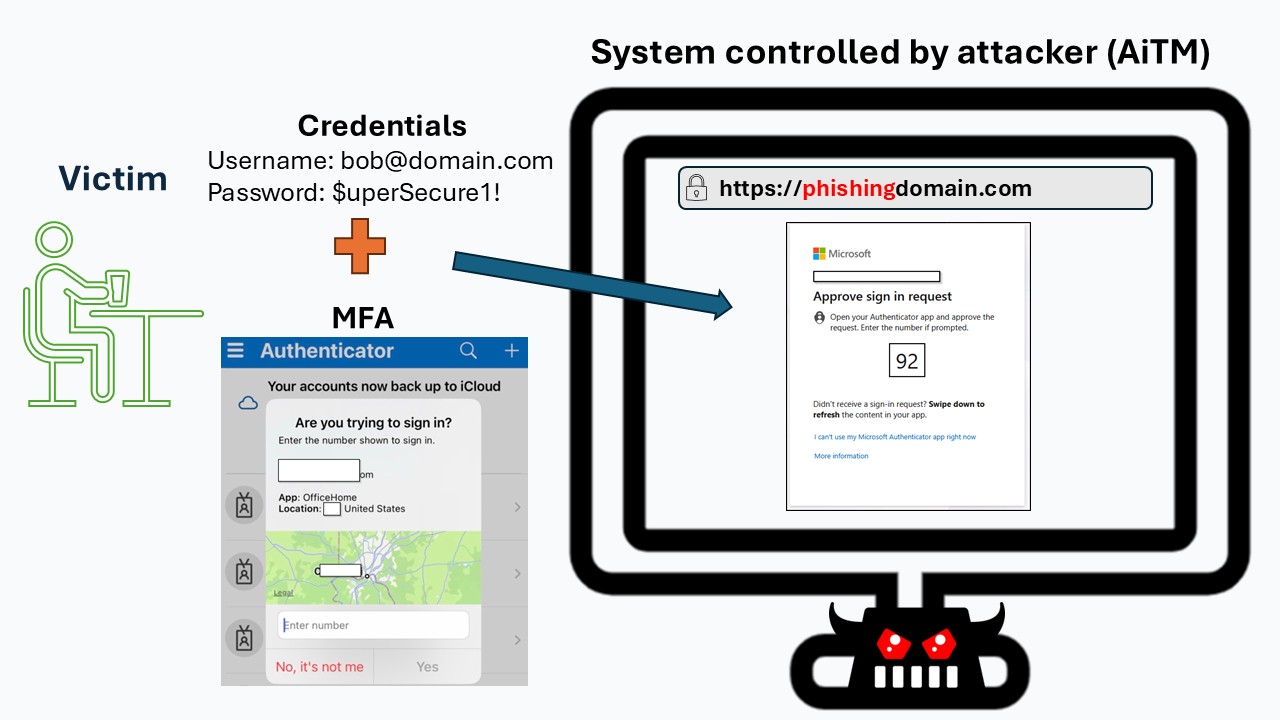
On the login page, the victim enters their username and password. Because it is a real sign-in, the real website will prompt the user to go through MFA, if it is enforced.
The victim enters their username and password. Because the page is being relayed through the attacker’s AiTM system, the credentials are passed to Microsoft 365 in real time.
If MFA is enabled, the victim also completes the MFA challenge as usual. Everything looks normal to the user — but the attacker is intercepting the entire login flow behind the scenes.
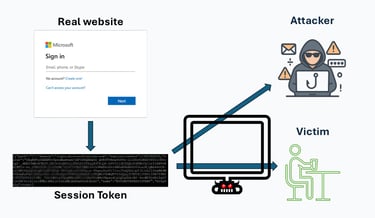
6. Real website issues Session Token
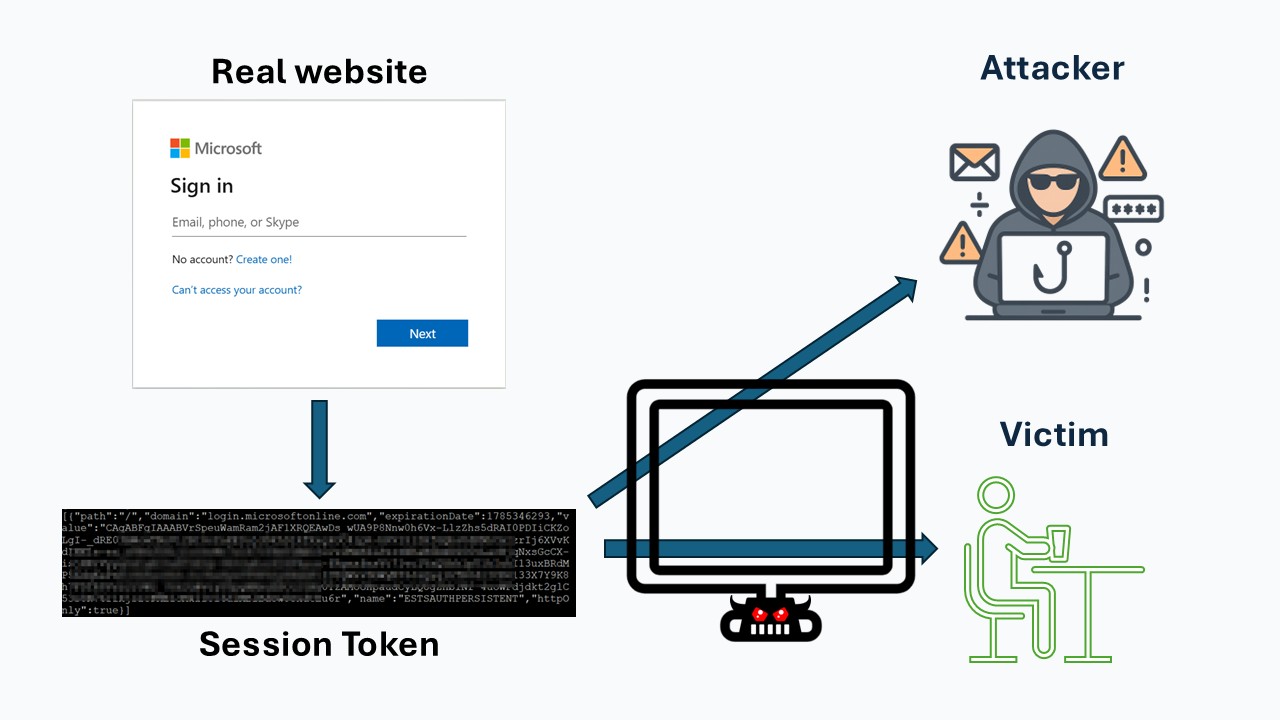
Once the victim completes authentication—entering their username, password, and MFA—the real Microsoft 365 login service issues a session token.
A session token is a piece of data that proves the user has already authenticated. It allows the browser to stay logged in without making the user sign-in again on every page. In most cases, this token is stored inside a session cookie or another browser storage mechanism.
Under normal circumstances, only the user’s browser would ever receive this token. But in an AiTM attack, the attacker’s server is sitting between the victim and the real site.
Because all traffic passes through the attacker’s infrastructure:
The victim receives the valid session token
The attacker receives an identical copy at the same time
With this token, the attacker can now impersonate the user and access Microsoft 365—without needing the user’s password or MFA again.
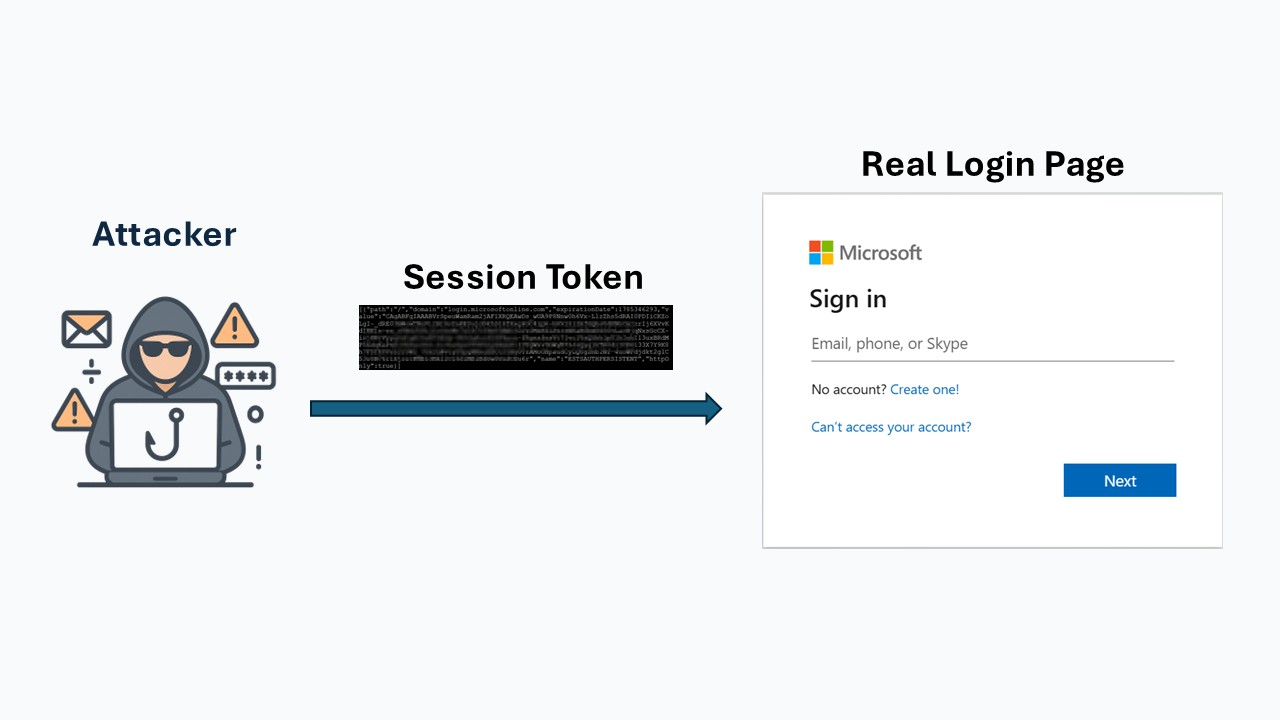
7. Account Takeover
The attacker uses the Session Token to log in to the real website.
If MFA is not enabled, the attacker can immediately access the victim’s account.
If MFA is enabled, the attacker can still access the victim's account since they are using the session token and don't need to go through username, password and MFA again.
Video Demonstration
See below for a video demonstration showing how an AiTM attack works:
